By Rahul Dhakate · PMP & PSM I Certified · 19 July 2026 · learnxyz.in
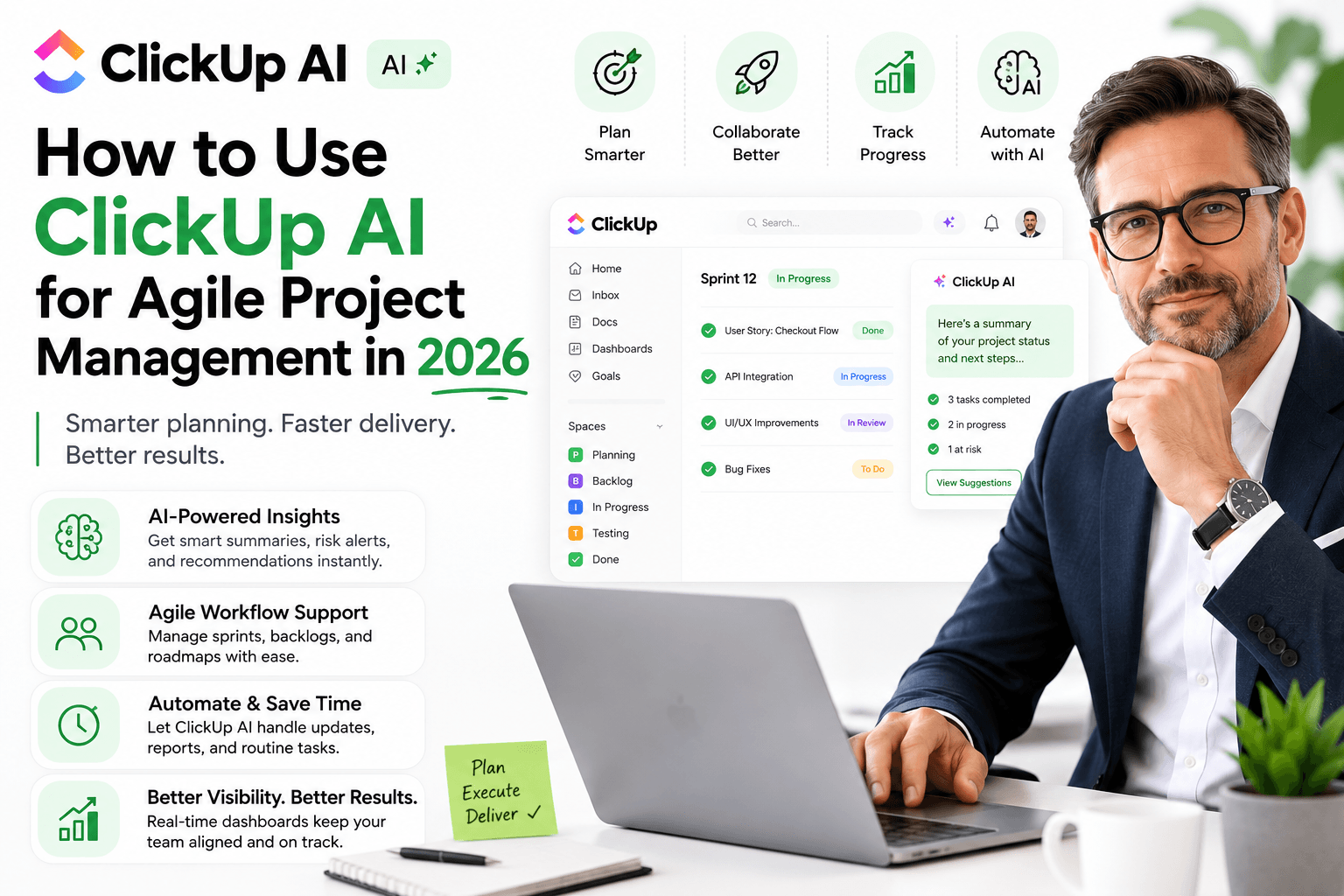
ClickUp ranked as the top AI-integrated project management platform in 2026 with a 94/100 independent rating — and the primary reason is ClickUp Brain, its deeply embedded AI that operates across every part of the workspace rather than sitting as a separate chatbot alongside your project data.
I have not used ClickUp personally in my own project work — my experience spans more traditional tools and the hybrid Excel-plus-project-management approaches common in enterprise software delivery. What I can give you is a thorough, research-based assessment of how ClickUp AI specifically serves Agile project managers, with the practical setup and prompts that experienced ClickUp users report working best.
Table of Contents
How to Use ClickUp AI for Agile Project Management in 2026.
Why ClickUp Brain Is Different From Other AI PM Tools.
Setting Up ClickUp for Agile Delivery.
10 Specific Ways to Use ClickUp Brain for Agile.
ClickUp AI for Agile Ceremonies — Practical Prompts.
ClickUp AI vs Manual Agile Management
Why ClickUp Brain Is Different From Other AI PM Tools
The critical distinction between ClickUp Brain and tools like ChatGPT or even Notion AI is data context. When you ask ChatGPT about your sprint status, you have to paste in the data yourself. When you ask ClickUp Brain the same question, it already knows — because it has direct access to all your tasks, subtasks, assignees, due dates, completion rates, dependencies, and comments across your entire workspace.
ClickUp Brain earned a 94 out of 100 in independent AI PM tool rankings for 2026 specifically because of this deep integration. The AI is not bolted on — it is embedded throughout the platform, which means every query about your project data gets answered from actual live data rather than from whatever you remembered to paste in.
Setting Up ClickUp for Agile Delivery
Step 1 — Create Your Agile Workspace Structure
- Create a Space for each product or client
- Within each Space, create a Folder for each major release or programme
- Within each Folder, create a List for each sprint (Sprint 1, Sprint 2, etc.)
- Add custom fields to your tasks: Story Points, Sprint Goal, Epic, Acceptance Criteria, Priority
- Set up a Backlog List alongside your sprint lists — all unscheduled work lives here
Step 2 — Enable ClickUp Brain (All Paid Plans)
ClickUp Brain is included in all paid plans from $7/user/month. You do not need to install or configure it — it is available immediately through the AI button in any ClickUp interface. The first thing to do after enabling: ask ClickUp Brain to summarise your current workspace. It will immediately show you the value of having project-aware AI.
10 Specific Ways to Use ClickUp Brain for Agile
| Use Case | What to Ask ClickUp Brain | Time Saved |
| Sprint planning | What tasks in my backlog are highest priority based on their labels and dependencies? | 30-45 min |
| Daily standup prep | Summarise what each team member completed yesterday and what is blocked | 15-20 min |
| Sprint goal creation | Based on the tasks in Sprint 5, write a sprint goal that captures the business value being delivered | 10 min |
| Risk identification | Which tasks in the current sprint are at risk of missing their due date based on progress? | Ongoing |
| Retrospective prep | List the tasks that were incomplete at sprint end and identify common themes in the blockers | 20-30 min |
| Status report | Write a status report for this sprint based on current task completion rates and open issues | 45-60 min |
| Acceptance criteria | Write acceptance criteria for this user story: [paste story] | 10-15 min |
| RACI creation | Based on the tasks in this project, generate a RACI matrix for the key deliverables | 20-30 min |
| Dependency mapping | Which tasks are blocking other tasks in the current sprint? | Ongoing |
| Velocity calculation | How many story points did we complete in each of the last 4 sprints? | 5 min |
ClickUp AI for Agile Ceremonies — Practical Prompts
| SPRINT PLANNING PROMPT In my [Sprint X] list, I have [N] story points of backlog items. My team velocity is approximately [X] points per sprint. Which items should I prioritise for this sprint based on their priority labels and dependencies? Show me as a ranked list. |
| RETROSPECTIVE ANALYSIS PROMPT Look at Sprint [X] that just ended. Which tasks were completed on time? Which tasks were incomplete — and what reasons were given in comments? Summarise the top 3 patterns you see in what went wrong. |
ClickUp AI vs Manual Agile Management
| Activity | Manual Time | With ClickUp Brain | Time Saved |
| Sprint status report | 45-60 minutes | 5-8 minutes | 85% |
| Risk identification review | 30 minutes | Automatic flagging | Near 100% |
| Standup preparation | 15 minutes | 2-3 minutes | 80% |
| Velocity calculation | 10 minutes | Instant query | 90% |
| Dependency mapping | 20-30 minutes | Instant query | 90% |
If your team is not yet on ClickUp, start with the free plan to test the interface before committing to paid. Once you are comfortable with the workspace structure, upgrade to unlock ClickUp Brain. The $7/month entry price with AI included makes it the best value all-in-one Agile PM tool available in 2026.
About the Author

Rahul Dhakate is a PMP and PSM I certified project manager and product management leader based in Nagpur, India, with 20 years of experience managing software projects across BFSI, eCommerce, and enterprise software. He evaluates AI tools through the lens of a PMP-certified project manager with 20 years of Agile and hybrid delivery experience across BFSI, eCommerce, and enterprise software. He writes at LearnXYZ.in about PMP exam prep and AI tools for modern project managers.
Upcoming Article: How to Build a Project Risk Register Using AI Tools
Good Reads: