By Rahul Dhakate · PMP & PSM I Certified · 20 May 2026 · learnxyz.in
Something fundamental has shifted in project management in the last two years. AI has moved from being a feature that tools advertised but nobody really used, to being a genuine operational layer that changes what project managers do every day.
Contents
How to Think About AI Tools as a Project Manager
Category 1: AI Project Management Platforms.
Category 2: AI Meeting Summarisers.
Category 3: AI Risk Management
Category 4: AI Scheduling and Calendar Assistants.
Category 5: AI Research and Writing.
The administrative burden of project management — status reports, meeting notes, risk tracking, resource updates — is being absorbed by AI at a pace that even the most sceptical project managers are now noticing. The project managers who are thriving in 2026 are the ones who have figured out which tools to use and how to integrate them into their actual workflow.
I have spent time evaluating the leading tools in this space. This article gives you a structured overview of the best AI tools for project managers in 2026 — across five categories — with honest assessments, current pricing, and affiliate program details where relevant so you can make informed decisions about what to add to your toolkit.
How to Think About AI Tools as a Project Manager
Before diving into specific tools, one framing that will save you time and money: not all AI tools for project managers serve the same purpose. There are two fundamentally different categories:
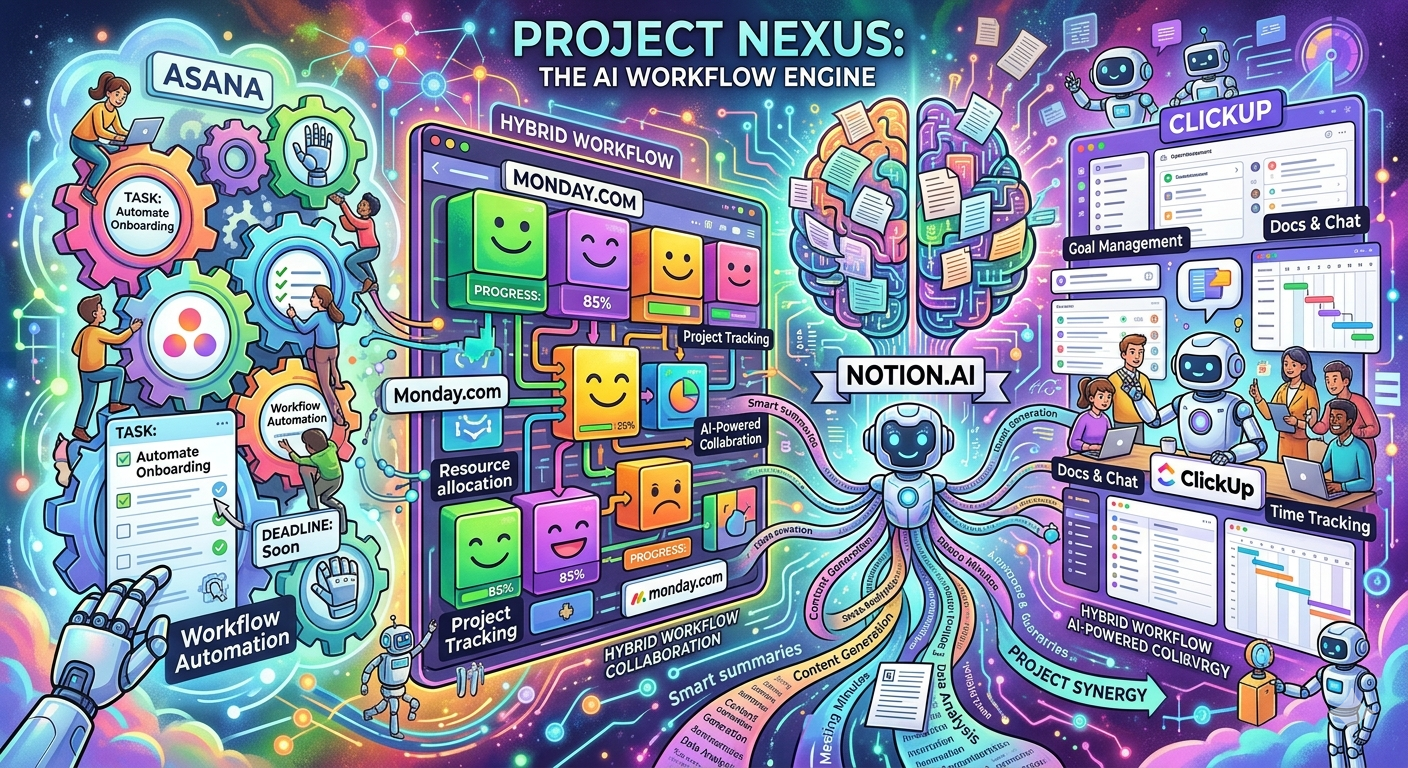
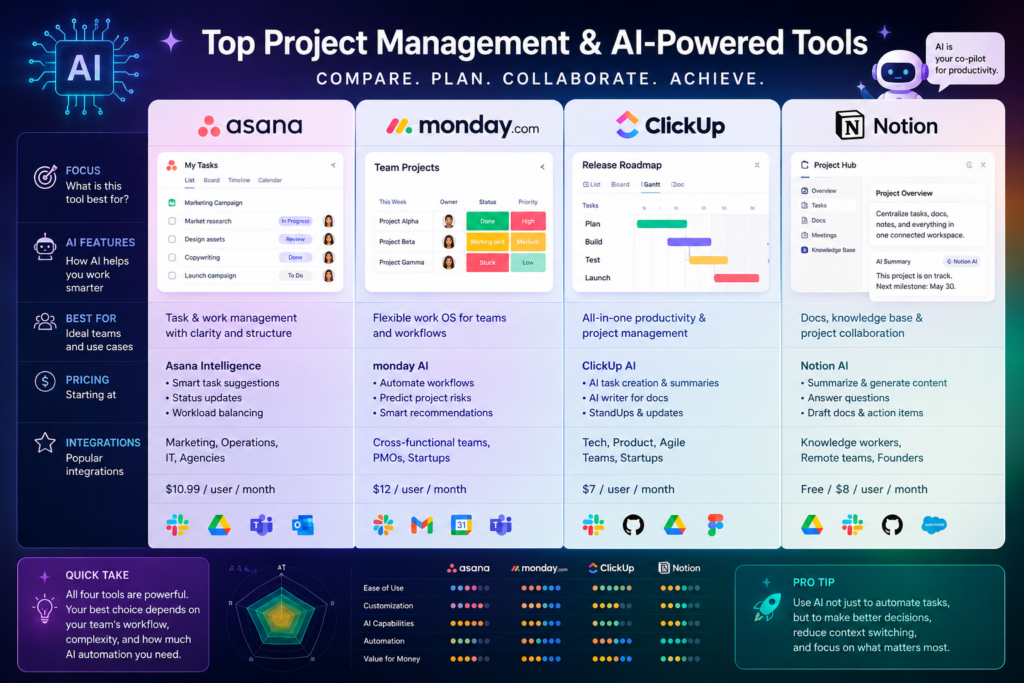
- AI-powered project management platforms — tools like ClickUp, Monday.com, Asana, and Notion that manage your actual project work and have added AI capabilities on top of their core functionality
- AI productivity assistants — standalone tools that handle specific PM tasks: meeting transcription and summarisation, status report generation, risk prediction, scheduling, and communication
The strongest project management setups in 2026 use one good platform for execution combined with one or two specialist AI assistants for the tasks that platform handles poorly. The mistake most people make is trying to find one tool that does everything well — it does not exist yet.
AI tools will not replace project managers in 2026 or in the foreseeable future. AI cannot manage stakeholder conflict, navigate organisational politics, make judgment calls under ambiguity, or build trust with a difficult client. What it can do is handle the administrative layer — and that frees you to do the work that actually requires a human. That is the value proposition.
Category 1: AI Project Management Platforms
These are the core tools where your actual project work lives. The AI features vary significantly between platforms.
| ClickUp — Best overall for feature depth and AI integration | |
| Tool | ClickUp |
| Best For | Teams needing comprehensive PM with strong AI automation |
| Pricing | Free plan available. Paid from $7/user/month (annual). AI (ClickUp Brain) included in all paid plans. |
| Affiliate Program | 20% recurring commission — one of the best SaaS affiliate programs available |
| Our Rating | ★★★★★ — 94/100 |
ClickUp Brain is embedded throughout the platform — it generates task summaries, writes project briefs, creates RACI matrices, suggests priorities, and produces automated progress updates. For project managers managing multiple workstreams, the AI’s ability to surface what needs attention without manual review is genuinely useful. ClickUp also has the lowest entry price among the major platforms at $7/user/month with AI included.
| Monday.com — Best for visual workflows and cross-team coordination | |
| Tool | Monday.com |
| Best For | Teams prioritising dashboards, visual project tracking, and departmental coordination |
| Pricing | Free plan (up to 2 seats). Paid from $9/user/month. AI Sidekick add-on at $8/user/month. |
| Affiliate Program | Pays $150+ per referred customer — one of the highest affiliate payouts in the PM space |
| Our Rating | ★★★★☆ — 78/100 |
Monday’s AI Sidekick handles content generation, meeting summaries, and automation suggestions. Its strength is the visual dashboard experience — for project managers who need to show clean progress reports to non-technical stakeholders, Monday’s visualisations are industry-leading. The AI features are less deeply integrated than ClickUp’s but the interface experience is more polished.
| Asana — Best for structured task workflows and clean UX | |
| Tool | Asana |
| Best For | Teams wanting polished workflow management with fast adoption |
| Pricing | Free plan available. Paid from $10.99/user/month. Asana Intelligence included in Starter and above. |
| Affiliate Program | 15% commission per referral via Impact affiliate platform |
| Our Rating | ★★★★☆ — 80/100 |
Asana Intelligence generates tasks from project briefs, predicts due dates based on team patterns, and summarises project status. Its interface is the cleanest of the major platforms — teams adopt it faster than ClickUp because there is less to configure upfront. For project managers whose teams resist complex tooling, Asana is often the right choice even if it trades some feature depth for simplicity.
| Notion AI — Best for documentation-heavy teams and knowledge management | |
| Tool | Notion AI |
| Best For | Teams combining project management with extensive documentation, wikis, and knowledge bases |
| Pricing | Free plan available. Plus at $10/user/month. Notion AI add-on at $8/user/month. |
| Affiliate Program | Referral credits — indirect benefit; pairs well with other affiliate links |
| Our Rating | ★★★☆☆ — 76/100 |
Notion AI is excellent at what Notion has always been excellent at — organising, writing, and summarising information. For project documentation, meeting notes, and team wikis, it is genuinely strong. For actual task management and Agile delivery, it is weaker than the other three. Most PM-focused teams end up pairing Notion for documentation with ClickUp or Monday for execution.
Category 2: AI Meeting Summarisers
Project managers live in meetings. The right AI meeting tool saves 30–60 minutes per day by eliminating manual note-taking and action item tracking. Covered in depth in Article 54 — quick summary here:
- Fathom: Best free option — unlimited recording and transcription, no credit card required. Teams plan at $29/month.
- Fireflies.ai: Best for teams needing CRM integration. Pro plan at $10/user/month. Claimed 75% Fortune 500 adoption.
- Otter.ai: Best for real-time live captions during meetings. Free plan with 300 minutes/month. Pro at approximately $16.99/month.
Category 3: AI Risk Management
AI risk tools are the fastest-growing category in project management software. The ability to predict risks before they materialise — based on task patterns, dependency chains, and historical data — is genuinely new capability that was not available even two years ago.
- Wrike: ML-powered risk prediction via Knowledge Graph. AI Agents (GA February 2026) autonomously flag risks and suggest mitigations. Enterprise-grade security. Included in all paid plans.
- ClickUp Brain: Flags potential bottlenecks based on task dependency patterns. Less sophisticated than Wrike’s risk engine but included in your core PM platform.
- Zoho Projects: Zia AI provides predictive risk scoring and forecasting. Strong value for teams already in the Zoho ecosystem.
Category 4: AI Scheduling and Calendar Assistants
- Motion: Auto-schedules tasks into your calendar and dynamically reschedules when plans change. Strongest tool for individual PMs managing complex personal task loads. From $19/month.
- Calendly: AI-assisted scheduling for stakeholder meetings. Free plan available. Paid from $10/month. Essential for PMs managing multiple client relationships.
Category 5: AI Research and Writing
- ChatGPT (GPT-4o): Generate status reports, draft project charters, write risk registers, create communication templates. Free plan available. Plus at $20/month.
- Grammarly: Ensures professional tone in stakeholder communications. Free plan available. Premium from $12/month.
- Perplexity AI: Research best practices, find framework comparisons, investigate technical dependencies — with sourced answers. Free plan available.
Quick Selection Guide
| Your Situation | Recommended Stack | Monthly Cost (est.) |
| Solo PM — all-in-one simplicity | ClickUp + Fathom (free) + ChatGPT Plus | ~$27/month |
| Small team — visual dashboards | Monday.com + Fathom + Grammarly | ~$35–45/month/user |
| Documentation-heavy team | Notion AI + Asana + Fireflies | ~$40–50/month/user |
| Enterprise delivery manager | Wrike + Fireflies + Grammarly Business | $60–80+/month/user |
| PMP exam candidate learning AI | ClickUp free + Fathom free + ChatGPT free | $0 to start |
Affiliate note: If any of the tools above interest you, the links in the detailed articles (52–55) include affiliate referrals where available. Clicking through those links costs you nothing and helps support the content on learnxyz.in.
About the Author

Rahul Dhakate is a PMP and PSM I certified project manager and product management leader based in Nagpur, India, with 20 years of experience managing software projects across BFSI, eCommerce, and enterprise software. He evaluates AI tools specifically through the lens of a working project manager with 20 years of delivery experience across BFSI, eCommerce, and enterprise software. He writes at LearnXYZ.in about PMP exam prep, project management, and AI tools for modern project managers.
Good Reads: