
By Rahul Dhakate · PMP & PSM I Certified · 14 July 2026 · learnxyz.in
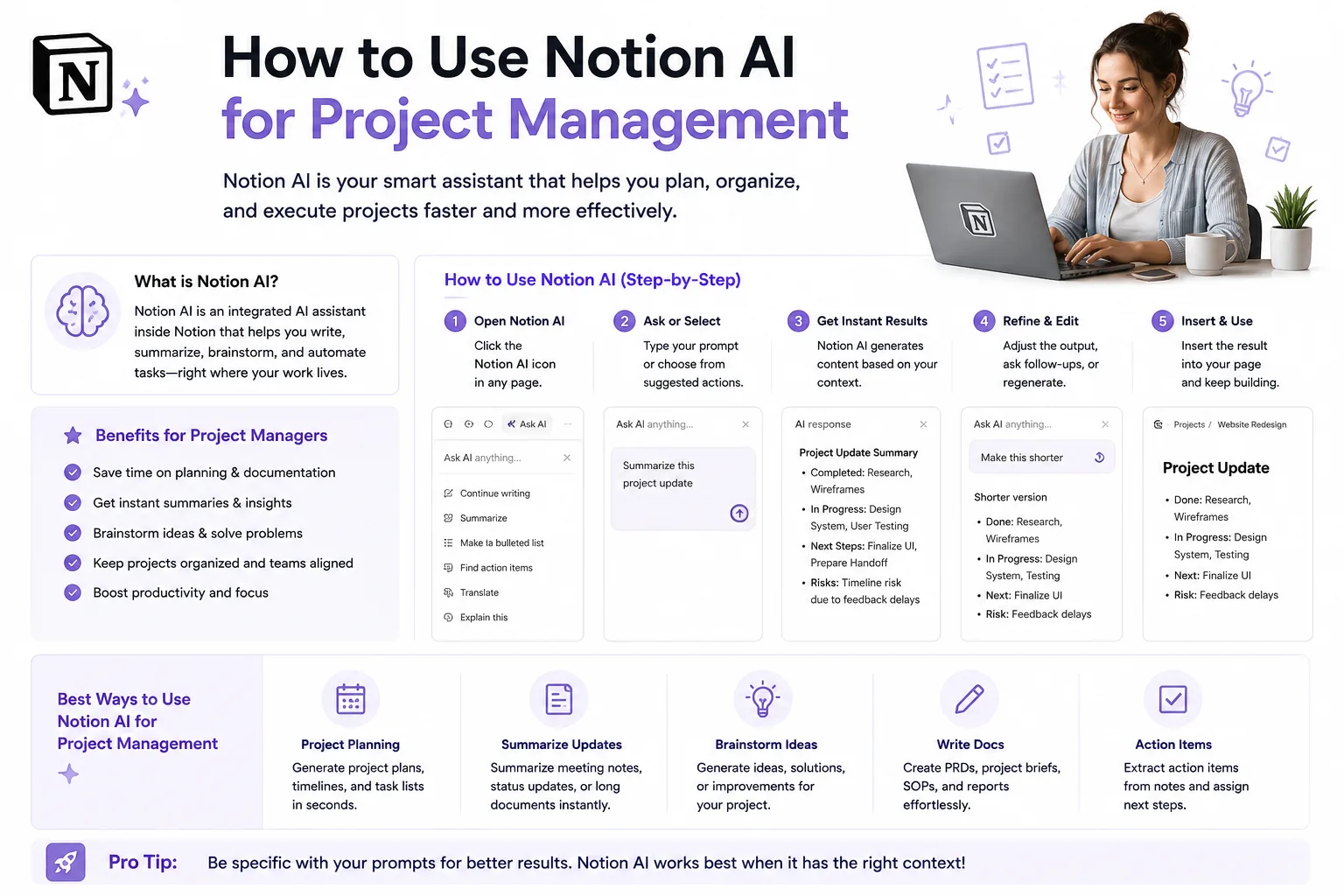
Notion has evolved from a note-taking tool into one of the most versatile project management and knowledge management platforms available in 2026. Notion AI — the built-in artificial intelligence layer added to every paid Notion workspace — changes what is possible for project managers who already live in Notion for their documentation, meeting notes, and team wikis.
I want to be upfront: I have not used Notion AI personally in my project management work. My assessment here is based on thorough research, current user feedback, and a careful evaluation of how Notion AI’s specific capabilities map to real project management needs. What I can tell you clearly is where it genuinely excels, where it falls short, and the specific setup that makes it most useful for PMs.
What Notion AI Actually Does
Notion AI is not a standalone tool — it is an embedded AI layer that works within your existing Notion workspace. This integration is both its greatest strength and its defining characteristic. Unlike ChatGPT or Claude, which require you to copy and paste content from your PM tools, Notion AI works directly on the content already in your workspace.
The core capabilities for project managers:
- Summarise long documents — paste a 40-page project specification into Notion and ask AI to produce a one-page executive summary
- Generate content from scratch — create project briefs, meeting agendas, risk registers, and status report templates directly in Notion
- Edit and improve existing content — take rough meeting notes and have AI clean, structure, and extract action items
- Translate content — useful for distributed teams working across languages
- Answer questions about your workspace content — ask Notion AI a question and it searches across your workspace pages to find relevant information
The Honest Limitation: Notion Is Documentation-First
Before setting Notion AI up for project management, understand this clearly: Notion is fundamentally a documentation and knowledge management platform. Its project management capabilities — task tracking, sprint boards, Agile workflows — are functional but secondary to its documentation strength.
If you need a dedicated project management platform with deep AI integration for task management, sprint tracking, and workflow automation — ClickUp Brain is stronger. Notion AI is the right choice when your primary need is intelligent documentation, meeting management, and team knowledge organisation alongside lighter project tracking.
The Recommended PM Setup in Notion
Step 1 — Create Your Project Hub Page
Create a master page for each project. This becomes your single source of truth. Include linked databases for: Tasks and Sprints, Meeting Notes, Risk Register, Stakeholder Directory, and Project Documents.
Step 2 — Set Up Your Meeting Notes Template
Create a Notion template for meeting notes with these sections: Date and Attendees, Agenda, Discussion Points, Decisions Made, Action Items (with owner and due date), and Next Steps. When you run your daily standup or sprint review, open this template. After the meeting, highlight all your notes and ask Notion AI to: extract all action items and format them as a checklist, summarise the key decisions in three bullet points, and identify any risks mentioned that should be added to the risk register.
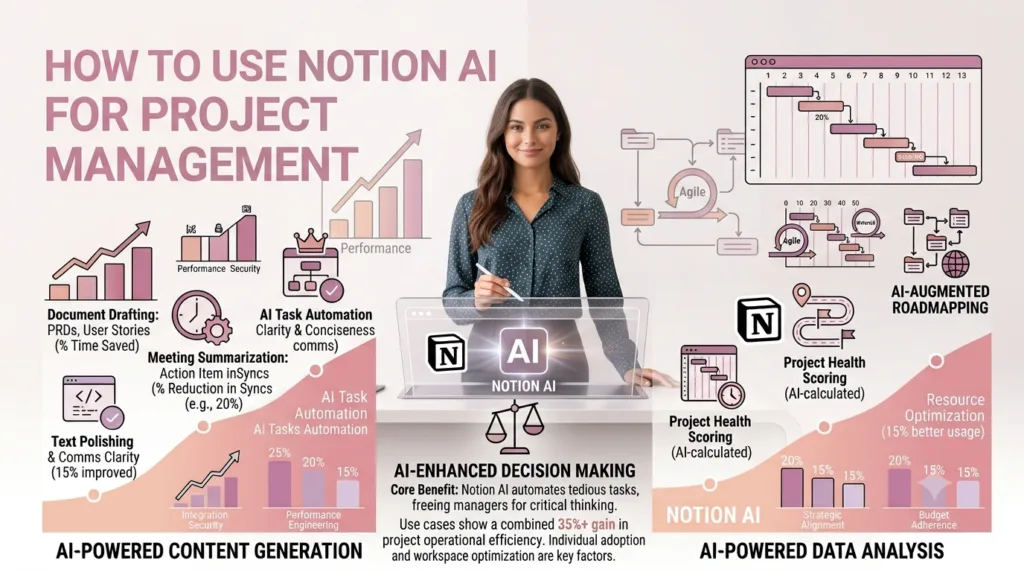
Step 3 — Build an AI-Powered Risk Register
Create a Notion database with these properties: Risk ID, Description, Category, Probability, Impact, Risk Score, Owner, Response Strategy, and Status. For each new project, ask Notion AI: Given this project description — paste your project brief — identify the top 8 risks this project faces and format them in the risk register structure above. Review and adjust the output, then add it to your database.
Step 4 — Automate Your Status Reports
At the end of each week, open a new Notion page and paste in: your completed task list for the week, any meeting decisions, open risks, and upcoming milestones. Then ask Notion AI to write a professional weekly status report using this information, with RAG status, for a senior stakeholder audience.
| NOTION AI PROMPT — Weekly Status Report You are a project manager writing a weekly status report. Use the following project data from this week: [PASTE YOUR WEEKLY NOTES, TASKS, AND MEETING UPDATES] Write a 250-word professional status report with: – Overall RAG status (Red/Amber/Green) and one-line reason – This week’s key completions – Next week’s planned work – Open risks and mitigation status – Any decisions needed from stakeholders |
Notion AI Pricing in 2026
| Plan | Cost | AI Included? |
| Free | $0 | No AI |
| Plus | $10/user/month | Notion AI add-on: +$8/user/month |
| Business | $18/user/month | Notion AI add-on: +$8/user/month |
| Enterprise | Custom | Notion AI included or negotiated |
Notion AI at $8/user/month on top of your base plan is most valuable when your team already uses Notion heavily for documentation. If you are not yet in Notion, evaluate ClickUp or Monday first — both include AI at lower total cost for teams that prioritise task management over documentation.
Best Use Cases for PMs Specifically
- Project charter drafts from a brief description — as covered in Article 60
- Meeting notes cleanup and action item extraction after standups and reviews
- Lessons learned synthesis at project close — paste all your retrospective notes and get a structured document
- Stakeholder communication drafts — particularly for complex updates requiring nuanced tone
- Risk register generation for new projects — as a starting point to review and personalise
About the Author
Rahul Dhakate is a PMP and PSM I certified project manager and product management leader based in Nagpur, India, with 20 years of experience managing software projects across BFSI, eCommerce, and enterprise software. He evaluates AI tools specifically through the lens of a working PMP-certified project manager with 20 years of delivery experience. He writes at LearnXYZ.in about PMP exam prep and AI tools for modern project managers.
Good Reads:

I truly appreciate your technique of writing a blog. I added it to my bookmark site list and will
Bu konu hakkında bilgi vermeniz çok güzel. Genellikle türkçe içerikler az oluyor fakat böyle güzel içerikler görmek ve okumak çok zevkli.
very informative articles or reviews at this time.
This article gave me several useful ideas to consider today and I look forward to reading more from you
The article presents several useful ideas to consider while browsing online and I look forward to reading more from you
Keep educating and inspiring others with posts like this.