
By Rahul Dhakate · PMP & PSM I Certified · 26 July 2026 · learnxyz.in
In my earlier career, risk registers were maintained in Excel. That was the standard — a spreadsheet with columns for risk ID, description, probability, impact, and response. It worked, but the process of identifying risks in the first place was entirely manual, entirely dependent on the project manager’s experience, and inevitably missed things that only became visible after they had become issues.
AI changes the risk identification phase fundamentally. Not by replacing project management judgment — that remains essential for evaluating and responding to risks — but by dramatically expanding the initial list of identified risks through pattern recognition across thousands of similar project types.
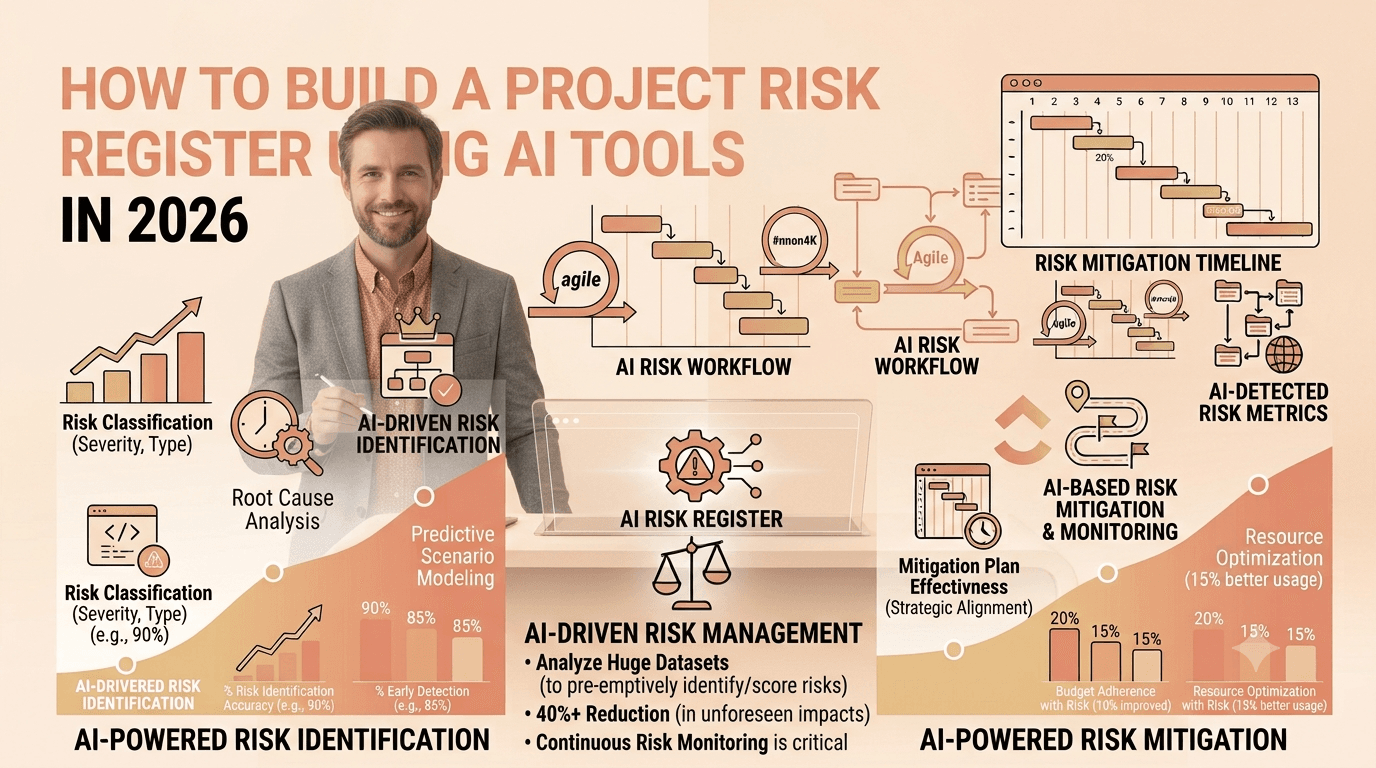
This article gives you the exact process for using AI tools to build a comprehensive risk register, from initial generation through validation and ongoing maintenance.
Index
Why AI Improves Risk Identification.
The AI-Assisted Risk Register Process.
Phase 1: Generate the Initial Risk List
Phase 2: Validate and Enhance the AI Output
Phase 3: Build the Living Register
Which AI Tool to Use for Risk Registers.
Why AI Improves Risk Identification
The most common weakness in traditional risk management is not poor risk response — it is incomplete risk identification. Project managers identify the risks they have seen before, in projects similar to ones they have worked on. AI identifies risks based on patterns across far more projects, industries, and failure modes than any individual can carry in their experience.
In the Barcelona API situation I managed at Valethi Technologies — where the on-site team’s failure to deliver APIs on time created cascading blocks for our React and C# development teams — the risk was identified manually through experience. An AI risk tool trained on distributed team projects with external API dependencies would have flagged that pattern before we even started the sprint. That early warning capability is the real value of AI in risk management.
The AI-Assisted Risk Register Process
Phase 1: Generate the Initial Risk List
Start with a detailed prompt to your AI tool of choice (ChatGPT, Claude, or your PM platform’s built-in AI). The more specific your project context, the more relevant the risk output:
| RISK IDENTIFICATION PROMPT You are a PMP-certified project manager conducting an initial risk assessment. Project: [NAME] Type: [Software development / Infrastructure / eCommerce / SaaS / etc.] Team: [SIZE and LOCATIONS — e.g., 8 developers split across India and UK] Duration: [TIMELINE] Key dependencies: [External teams, vendors, APIs, third parties] Technology: [Key technologies, platforms, integrations] Client type: [Enterprise / SMB / Government / Startup] Known constraints: [Budget limits, fixed deadlines, regulatory requirements] Generate a risk register with 12 risks. For each risk provide: – Risk ID (R01 through R12) – Risk description (clear statement of what could go wrong and why) – Risk category (Technical / Schedule / Resource / External / Stakeholder / Quality) – Probability (Low / Medium / High) – Impact (Low / Medium / High) – Risk Score (Probability x Impact: Low=1, Medium=2, High=3 — multiply them) – Risk Owner (role, not person) – Response Strategy (Avoid / Transfer / Mitigate / Accept) – Specific mitigation action (what exactly will be done) – Contingency response (what if it materialises despite mitigation) Format as a table. |
Phase 2: Validate and Enhance the AI Output
The AI-generated risk list is your starting point, not your finished register. Apply these four validation steps before using it:
- Add project-specific risks: AI generates pattern-based risks. Add the risks you know from your specific team, client, and context that AI cannot know — a specific vendor with a history of delivery delays, a key team member who is only available part-time, a stakeholder relationship that is politically sensitive.
- Validate the probability and impact ratings: AI applies generic ratings. Adjust each one based on your actual project context. If your team has extensive experience with the technology, reduce technical risks. If the client has never done a project like this before, increase stakeholder and scope change risks.
- Assign real owners: Change role-based owners to named individuals on your team.
- Set review dates: Add a column for the next review date for each active risk.
Phase 3: Build the Living Register
The most common risk management failure is treating the register as a one-time document rather than a living tool. AI makes ongoing risk monitoring more practical by reducing the time needed to update and review.
| When | AI-Assisted Action | Time Required |
| Sprint start | Ask AI to review current sprint tasks and flag any that match open risk scenarios | 5 minutes |
| Daily standup | Flag if blockers mentioned match open risks in register | Ongoing |
| Weekly review | Ask AI to assess whether any risk probability has changed based on project progress | 10 minutes |
| New dependency added | Run risk prompt specifically for the new dependency | 5 minutes |
| Sprint retrospective | Ask AI to identify whether any issues in the retro should generate new risks | 10 minutes |
A Real Risk Register Example
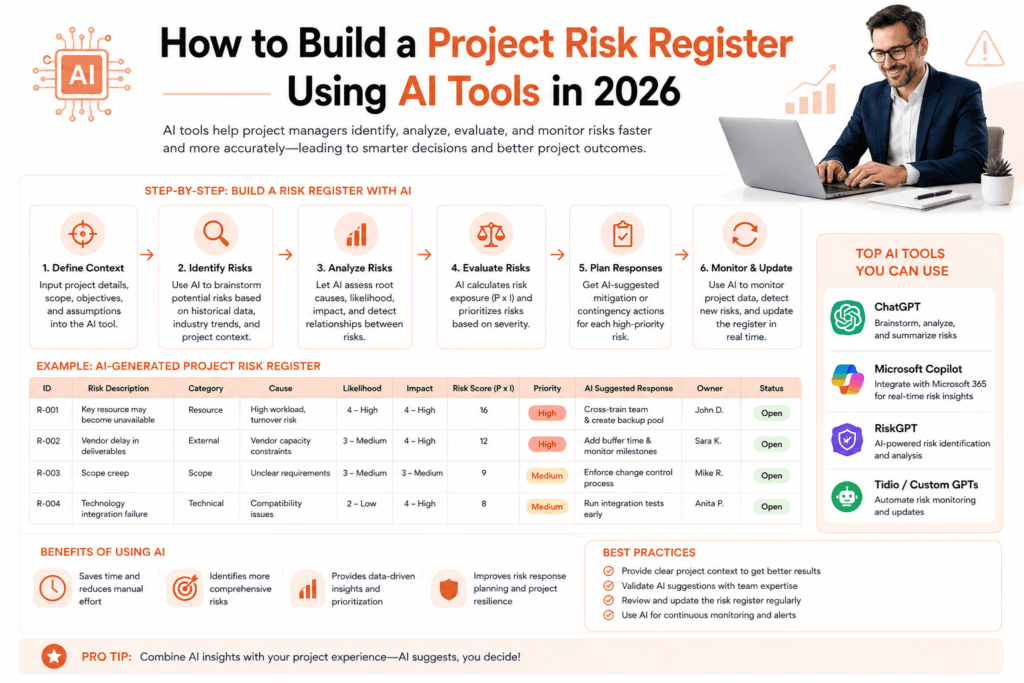
Here is a partial risk register for a software integration project — the type of output a well-prompted AI generates, reviewed and validated by an experienced PM:
| ID | Risk Description | Cat | Prob | Impact | Score | Response | Mitigation |
| R01 | External API team delays delivery past committed dates, blocking dependent development streams | External | High | High | 9 | Mitigate | Weekly API delivery checkpoints. Stub APIs built in parallel to allow development to continue. |
| R02 | Scope creep from client adding requirements mid-sprint without change control | Stakeholder | High | Medium | 6 | Mitigate | Enforce change control. New requirements to PO backlog only. No direct stakeholder-to-dev communication. |
| R03 | Key developer unavailability due to illness or resource reallocation | Resource | Medium | High | 6 | Accept | Document architecture. Cross-train on critical modules. Active acceptance with contingency plan. |
| R04 | Integration testing reveals fundamental architectural incompatibility | Technical | Low | High | 3 | Mitigate | Architecture review before development begins. Proof of concept for highest-risk integrations. |
| R05 | Client UAT feedback requires significant rework beyond approved scope | Quality | Medium | Medium | 4 | Mitigate | Early and frequent client demos. Acceptance criteria agreed before development. |
The Barcelona API scenario (R01 in the table above) is exactly the type of risk that should be in every distributed team project’s register from day one. An AI tool analysing your project context — distributed team, external API dependencies, tight delivery timeline — would flag this automatically. Experience tells you to validate it as High probability. The combination is where good risk management lives.
Which AI Tool to Use for Risk Registers
- ChatGPT or Claude: Best for initial risk generation and narrative descriptions. Most flexible for custom project contexts.
- ClickUp Brain: Best if your project already lives in ClickUp — it can flag risks based on your actual task data and dependencies.
- Wrike AI: Most sophisticated for enterprise projects — its Knowledge Graph predicts risks from project patterns before you ask.
- Notion AI: Best if your project documentation lives in Notion — risk register generation integrates naturally with your project wiki.
About the Author
Rahul Dhakate is a PMP and PSM I certified project manager and product management leader based in Nagpur, India, with 20 years of experience managing software projects across BFSI, eCommerce, and enterprise software. He maintained risk registers across multiple projects in Excel before AI tools were available, including situations where API delivery dependencies from distributed teams created cascading risks. He writes at LearnXYZ.in about PMP exam prep and AI tools for modern project managers.
Upcoming Article: How to Use AI to Prepare for PMP Situational Questions
Curious Reads:

I am truly thankful to the owner of this web site who has shared this fantastic piece of writing at at this place.