
By Rahul Dhakate · PMP & PSM I Certified · 20 June 2026 · learnxyz.in
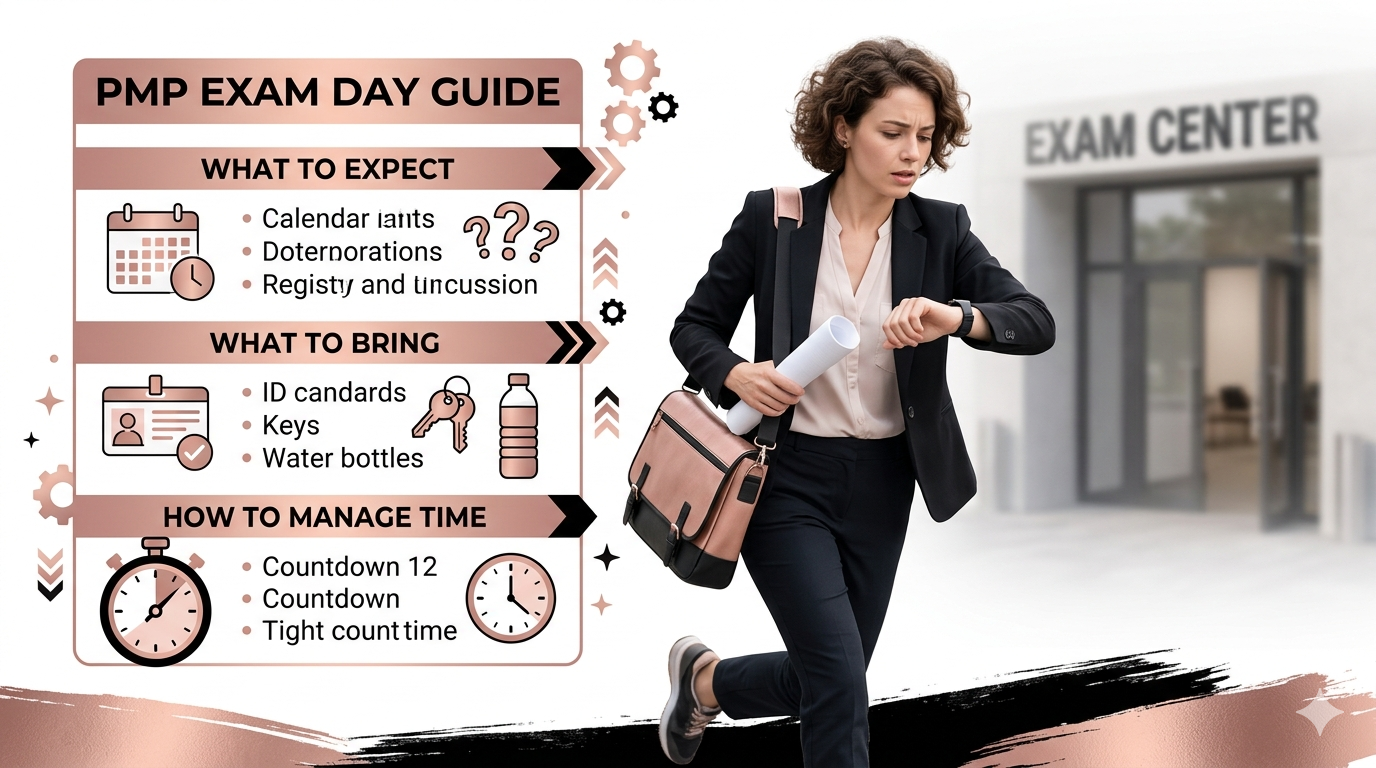
I took the PMP exam online from home during the COVID pandemic. There were no test centres open, and Pearson VUE had moved to online proctoring. My exam room was my own desk — with a laptop camera doing a thorough scan of the entire room before I could begin.
Here is what I want to tell you about exam day, honestly: once you are in the exam and the first question appears on screen, you stop thinking about the setup, the nerves, the logistics. You are simply in the work. All that preparation channels itself into answering questions, and the hours go by with surprising focus. The best mindset going in is this: you have prepared well, so just go ahead and give it your best shot. Think on your feet. Trust what you know.
This article tells you everything you need to know for exam day — whether you are sitting online or at a test centre.
Contents
Online Exam vs Test Centre — Which to Choose.
The Exam Structure — What You Will Actually See.
What Surprised Me Most About the Exam..
Online Exam vs Test Centre — Which to Choose
| Factor | Online Proctored (From Home) | Pearson VUE Test Centre |
| Location | Your home — any quiet private room | Dedicated exam facility near you |
| Technical requirements | Stable internet, webcam, microphone, quiet room, approved browser | None — equipment provided |
| Check-in process | Room scan via webcam, ID verification, system check (allow 30 mins) | Photo ID check, bag storage, guided to station |
| Interruptions | Must remain at desk — bathroom breaks allowed but proctored | Standard test centre environment |
| Technical issues | Your responsibility — can be rescheduled if genuine failure | Centre handles any technical issues |
| Best for | Candidates comfortable with technology, stable home environment | Candidates who prefer controlled external environment |
I chose online because test centres were unavailable during COVID. My experience: the room scan was thorough. The Pearson VUE proctor checked my ID, scanned the room in a 360-degree sweep via webcam, and confirmed no prohibited materials were visible. Once that was done, the exam began and the process was seamless.
If you take the exam online: test your technical setup at least 48 hours before. Pearson VUE provides a system test tool. Run it. Fix any issues before exam day — not on the morning of.
What to Bring — Test Centre
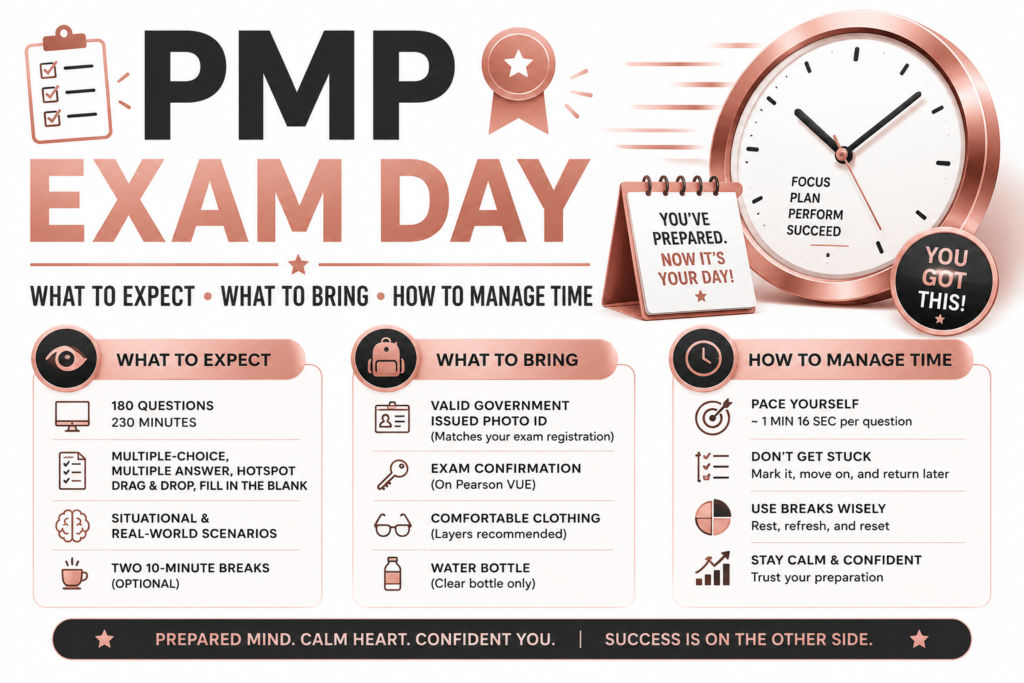
- Government-issued photo ID — passport, driver’s licence, or national identity card. Must match your registration name exactly.
- Your PMI appointment confirmation email — print it or have it accessible on your phone
- Nothing else — no notes, no books, no phone in the exam room
The test centre provides scratch paper and pencil for calculations. Use it immediately when you start — write your formula sheet from memory before you read question one. This takes about 3 minutes and means your formulas are on paper in front of you for the entire exam.
What to Bring — Online Exam
- Government-issued photo ID — same requirement as test centre
- Approved browser (Pearson VUE OnVUE) — downloaded and tested in advance
- Stable internet connection — wired is more reliable than WiFi if possible
- A clean, quiet room — no other people, no visible notes, clear desk surface
- Water in a clear glass if needed — allowed in most configurations, confirm with Pearson VUE
If you are taking the exam online, do your room setup the evening before. Clear your desk completely, test your camera angle, confirm your lighting is adequate for ID verification. These small preparations eliminate morning-of stress on exam day.
The Exam Structure — What You Will Actually See
The PMP exam consists of 180 questions across 230 minutes, with two optional 10-minute breaks. The question types you will encounter:
- Multiple choice — one correct answer from four options (most common)
- Multiple response — select all correct answers (more challenging than they appear)
- Matching — drag items to match with categories
- Hotspot — click the correct area on an image or diagram
- Fill in the blank — type a numerical answer for calculation questions
The exam does not tell you which domain each question belongs to. Questions from People, Process, and Business Environment are mixed throughout. Do not try to track domain distribution during the exam — it wastes mental energy with no benefit.
Time Management on Exam Day
230 minutes for 180 questions averages 76 seconds per question. The two optional 10-minute breaks are available after approximately question 60 and question 120. Use them — they are worth taking.
Time checkpoint strategy:
- Question 60: You should have approximately 155 minutes remaining. If you are significantly behind, start moving faster on straightforward questions.
- After break 1 (question 60): Reset mentally. Stretch, breathe, get water. The mental reset from a break is worth the 10 minutes.
- Question 120: You should have approximately 77 minutes remaining for 60 questions — about 77 seconds per question.
- After break 2 (question 120): Same reset. The final 60 questions require sustained concentration. The break supports that.
- Flagging strategy: Flag any question you are genuinely uncertain about and move on. Return to flagged questions only after completing all 180. Never spend more than 3 minutes on a single question during your first pass.
What Surprised Me Most About the Exam
Two things genuinely surprised me on exam day.
First — how many answers I already knew. With sufficient preparation behind you, a meaningful portion of the exam questions will feel familiar. Not because you have seen those exact questions, but because the concepts, the PMI mindset, and the patterns have become part of how you think about project management. That recognition is a genuinely reassuring feeling in the exam room. It tells you the preparation worked.
Second — the professionalism of the Pearson VUE process. Whether online or at a test centre, PMI and Pearson VUE have invested significantly in making the exam experience smooth, supportive, and fair. The coordinators I interacted with during my online exam were genuinely impressive in their professionalism and helpfulness. The process is well-designed to let you focus entirely on the exam itself.
The exam is designed to be passed by well-prepared candidates. It is not a trick. It is not trying to catch you out with obscure details. It is testing whether you understand project management well enough to make good decisions in realistic scenarios. Trust your preparation. That is all you need on exam day.
After You Submit — The Result
The PMP exam provides your result immediately after submission. You will see either Congratulations or a result indicating you did not pass, along with domain-level performance indicators.
If you pass: your PMI account will be updated within a few days with your official certification. You will receive a digital certificate. Your PMP number becomes active immediately.
If you do not pass: you have two more attempts within your one-year eligibility period. Review the domain performance indicators to understand where to focus additional preparation. The experience of the exam itself — the question types, the pacing, the format — is now information you can use in your next attempt.
About the Author
Rahul Dhakate is a PMP and PSM I certified project manager and product management leader based in Nagpur, India, with 20 years of experience managing software projects across BFSI, eCommerce, and enterprise software. He took the PMP exam online from home during the COVID pandemic, experiencing the full Pearson VUE online proctoring process including the thorough room scan via webcam before exam commencement. He writes at LearnXYZ.in to help working professionals pass the PMP exam and build modern project management careers.
Best Reads –

Hello there, You have done a great job. I’ll definitely digg it and personally recommend to my friends.
I’m confident they will be benefited from this web site.
Thank you!