
By Rahul Dhakate · PMP & PSM I Certified · 20 May 2026 · learnxyz.in
If there is one project management task that consumes disproportionate amount of time for almost no strategic value, it is the weekly status report. Gathering data from multiple sources, synthesising it into a coherent narrative, formatting it for different audiences, and repeating this process every week — it is exactly the kind of structured, repetitive work that AI handles well.
Table of Contents
What a Good AI-Generated Status Report Needs.
Tool 1: ChatGPT — Most Flexible, Best for Custom Formats.
Tool 2: ClickUp Brain — Best for Teams Already Using ClickUp.
Tool 3: Jasper AI — Best for Long-Form Polished Reports.
Tool 4: Grammarly — The Essential Quality Layer
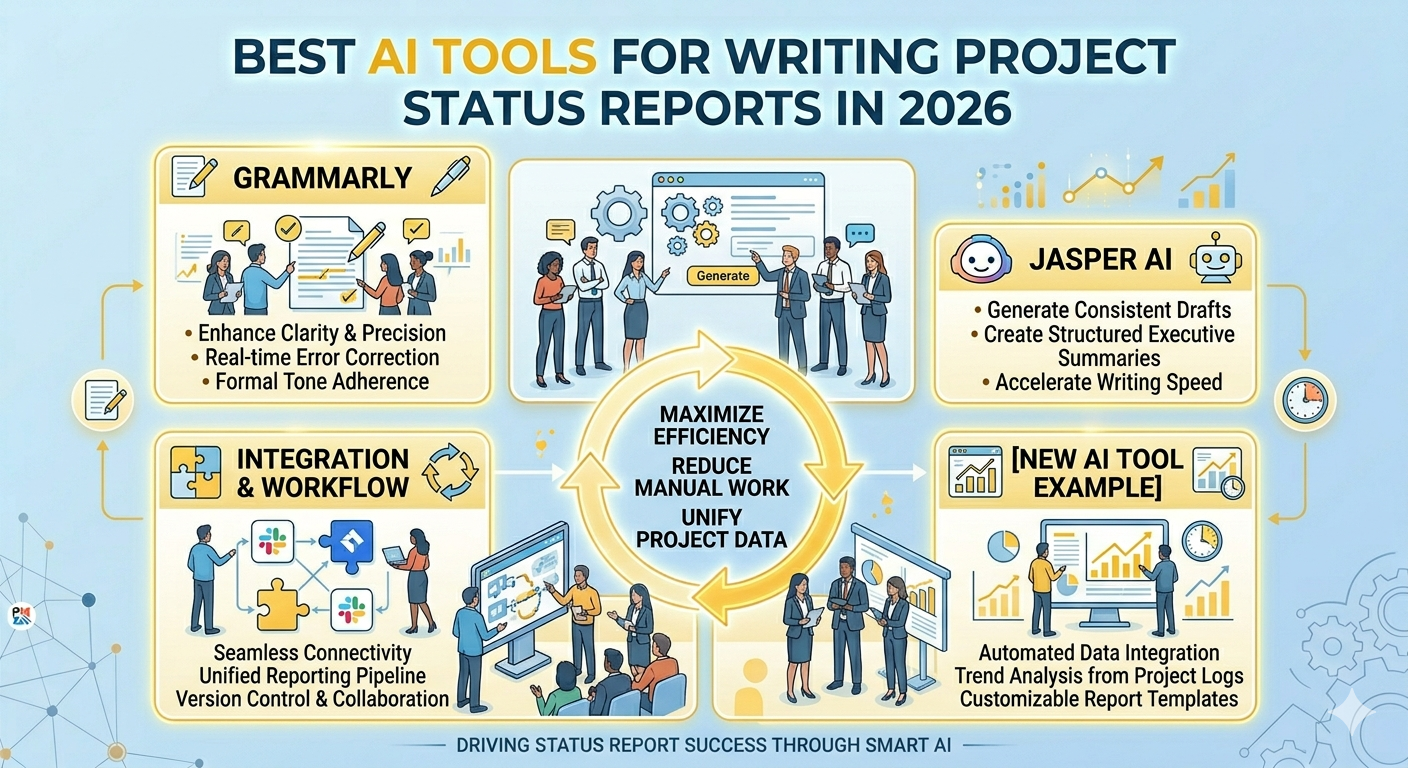
In 2026, AI tools have reached the point where a project manager who knows how to use them can produce a professional, accurate status report in under 10 minutes rather than the 45 to 90 minutes it typically takes manually. The time saving is real. The quality, with the right tools and prompts, is often better — more consistent structure, cleaner language, and less tendency to bury bad news in vague language.
I have tested the leading AI tools for this specific task. Here is what actually works.
What a Good AI-Generated Status Report Needs
Before evaluating tools, it is worth being clear about what a strong status report contains — because AI can only generate what you define. A complete project status report for stakeholders should cover:
- Overall project status — typically a RAG (Red/Amber/Green) rating with a one-line summary
- Progress since last report — what was completed in the reporting period
- Planned activities for next period — what the team commits to delivering next
- Issues and risks — current open issues, new risks identified, and status of risk responses
- Schedule status — are we on track, ahead, or behind? By how much?
- Budget status — actual spend vs planned, any variances
- Decisions required from stakeholders — any approvals or inputs needed
AI tools need this data provided as input. They organise, narrate, and format it — but they cannot invent accurate project data. The quality of your AI-generated report is directly proportional to the quality of the inputs you provide.
Tool 1: ChatGPT — Most Flexible, Best for Custom Formats
ChatGPT (GPT-4o) is the most versatile AI writing tool for status reports because it can be given any format, any audience, and any level of detail as a prompt. It does not integrate natively with your PM platform, but for project managers who work across multiple tools or whose organisations have specific reporting templates, this flexibility is its strength.
A prompt that consistently produces strong results:
“You are a project manager writing a weekly status report for a senior stakeholder audience. The project is [PROJECT NAME]. This week: [LIST WHAT WAS COMPLETED]. Next week: [LIST PLANNED WORK]. Current risks: [LIST RISKS]. Schedule status: [ON TRACK / DELAYED BY X DAYS]. Budget status: [ON BUDGET / OVER BY X]. Decisions needed: [ANY DECISIONS]. Write a professional status report in 300 words using RAG status. Use clear headings. Do not use jargon.”
Pricing: Free plan (GPT-4o mini). ChatGPT Plus at $20/month gives access to GPT-4o, which produces noticeably better structured output for professional documents.
Customise the prompt with your organisation’s specific reporting template once, then save it as a custom instruction in ChatGPT. Every subsequent report starts from your template automatically.
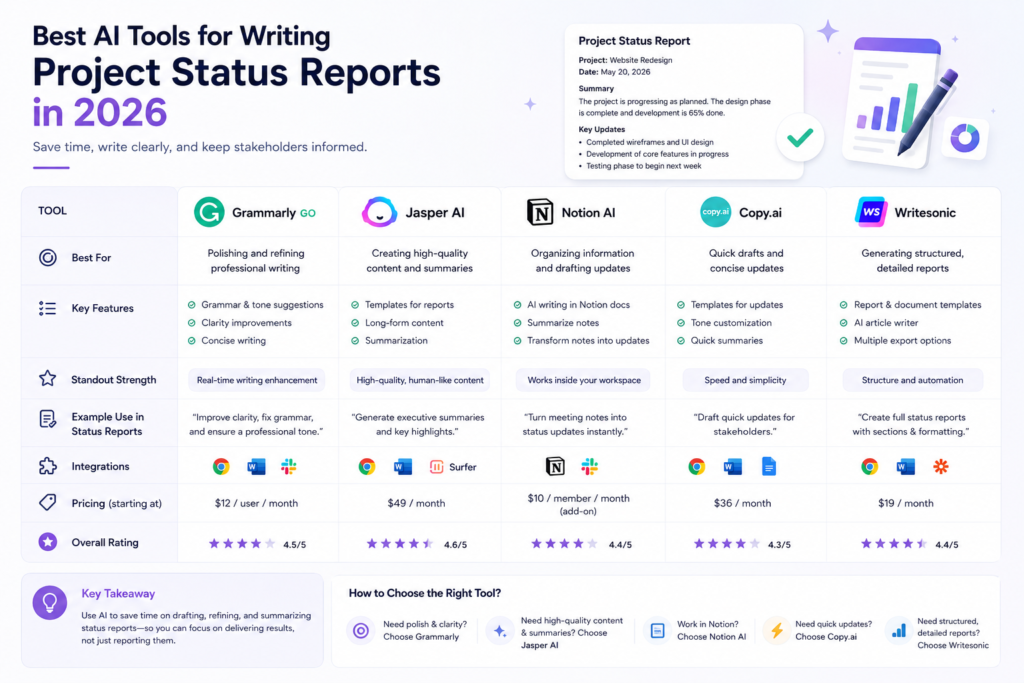
Tool 2: ClickUp Brain — Best for Teams Already Using ClickUp
If your team uses ClickUp, ClickUp Brain is the most efficient status report generator because it has direct access to your actual project data — tasks, statuses, assignees, due dates, and completion rates. You do not need to manually gather and paste data into a prompt.

ClickUp Brain can generate automated project summaries and progress updates on demand. You ask it questions in natural language — ‘What tasks are overdue in this sprint?’ ‘Give me a summary of what the team completed this week’ — and it queries your workspace data to produce the answer. You then review, edit, and format as needed for your stakeholder audience.
The limitation: ClickUp Brain’s outputs are designed for internal consumption and may need editing for external stakeholder reports. The formatting and language are good but occasionally too technical for non-PM audiences.
Pricing: Included in all ClickUp paid plans from $7/user/month.
Tool 3: Jasper AI — Best for Long-Form Polished Reports
Jasper is an AI writing platform originally designed for marketing content that has found strong adoption among project managers who produce lengthy, formal reports for executive or board audiences. Its Brand Voice feature allows you to set the tone and style for your organisation, ensuring every AI-generated report sounds consistent.
For quarterly project reviews, programme status reports, or any document where presentation quality matters as much as content, Jasper produces more polished output than ChatGPT with less editing required.
Pricing: From $39/month (Creator plan). Business plans from $59/month. Affiliate program pays 25% recurring commission — one of the strongest affiliate structures in the AI writing space.
Tool 4: Grammarly — The Essential Quality Layer
Grammarly is not a status report generator — it is a quality assurance layer that should sit on top of whatever you generate with AI. After producing your AI draft, run it through Grammarly to catch tone issues, wordiness, passive voice, and any language that might land poorly with a senior stakeholder.

In my experience, AI-generated text often has subtle issues that are not grammatical errors but are stylistic weaknesses — overly long sentences, unnecessary hedging, or inconsistent formality. Grammarly’s tone detection catches these reliably.
Pricing: Free plan covers basic grammar. Premium from approximately $12/month. Business from $15/user/month. Affiliate program available through their partner network.
The Recommended Workflow
- At the end of each reporting period, pull status data from your PM tool (ClickUp, Jira, Asana) — completed tasks, open issues, risk updates, budget actuals
- Paste this data into your saved ChatGPT prompt template (or use ClickUp Brain if you are on ClickUp)
- Review the AI output — check that all facts are accurate, the RAG status is correctly assigned, and the language matches your stakeholder’s expectations
- Run through Grammarly to catch any tone or clarity issues
- Send — total time from data pull to send: 10–15 minutes versus 45–90 minutes manually
One important caveat: never send an AI-generated status report without reviewing it yourself first. AI tools occasionally hallucinate — presenting numbers or statuses that are plausible but incorrect. You are the project manager. Your name is on the report. Always verify the facts before it goes to stakeholders.
About the Author

Rahul Dhakate is a PMP and PSM I certified project manager and product management leader based in Nagpur, India, with 20 years of experience managing software projects across BFSI, eCommerce, and enterprise software. He managed weekly status reporting to senior stakeholders and steering committees across multiple programmes, and now uses AI tools to streamline the reporting process without sacrificing accuracy or stakeholder trust. He writes at LearnXYZ.in about PMP exam prep, project management, and AI tools for modern project managers.
Next Up:


I’m gone to tell my little brother, that he should also go to see this
website on regular basis to get updated from newest gossip.